What this server is
SARMAT is a persistent, dynamic PvP campaign for DCS World. There are two servers: SARMAT on the Syria map and VARG on Caucasus; both run the same rules. Two coalitions share one map and fight over airfields, FARPs and urban strongholds. Victory is measured in captured ground, not in kills: the campaign goes to the side holding all four sectors.
The campaign lives between sorties: a destroyed objective stays destroyed, delivered vehicles stay where you put them, the front line stays where you moved it. The server restarts every eight hours, and the whole situation is restored — including everything players built.
Not a single ground unit is placed in the mission editor. Garrisons, air defences, depots, strongholds and convoys are spawned by the campaign at start and regenerated as the fight goes on, so the same airfield is never defended the same way twice. When a campaign ends, the sides swap: whoever held the north starts in the south.
How it came to be
The server was built by one person (callsign 234-1 BAIKAL) in three months: the campaign, the site, the live map and the statistics. The goal: a Russian-speaking server with the same written rules for everyone and verifiable admin decisions.
The campaign core is about 190,000 lines across 57 files, rewritten from scratch. Every change is verified against the live-server log. Builds are numbered and described in the changelog.
Architecture
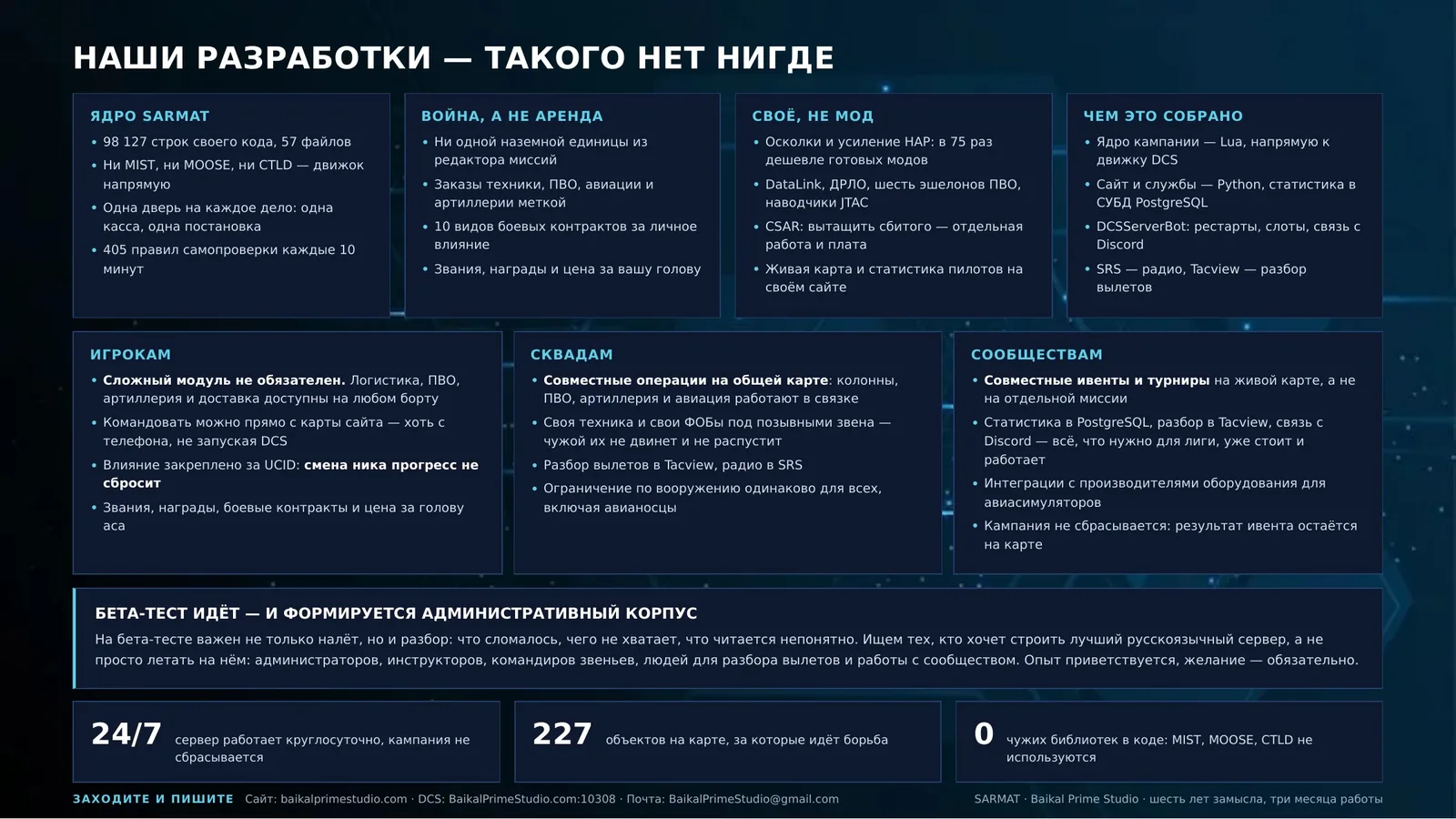
Our own core, SARMAT. No third-party libraries — no MIST, no MOOSE, no CTLD: the engine is addressed directly. Everything below lives in one codebase and leans on the same doors, rather than being stapled together from separate scripts that fight each other.
- A scheduler with budgets. Every job has its own timetable and its own per-frame limit. The campaign measures how many milliseconds each job consumed and reports any job that goes over.
- One door per job. All spawning goes through one function, all column movement through one, all payment through one treasury. No second branch is ever created: they drift apart.
- A spawn queue. Groups are created through a budgeted queue rather than all at once; flights launch one at a time; wreckage is cleared in batches.
- Our own persistence. The state is written to our own file every five minutes and always at the moment the server goes down for a restart — otherwise the last minutes of play would be lost.
- A snapshot for the site. Once a minute the campaign publishes its state, and the position of aircraft in the air every ten seconds, and the site reads exactly that: the live map, the situation page and the statistics are one truth, not a retelling.
- Self-checks on the live server. Over four hundred rules test the campaign every ten minutes: whether counters agree, whether settings survived, whether things that should work still do. The result goes to the log.
- A test bench and probes. Before every build, twenty-eight probe sets run the campaign without DCS — from capture to victory. A red probe means the build does not ship.
- Distant objectives sleep. While no player is near, an objective has no vehicles on the map at all; they appear when somebody approaches. That is how thousands of vehicles fit on one map.
Stability. The causes of earlier stalls have been removed: stock AI voice errors are suppressed, heavy jobs are spread out in time, and a spawn queue is in place. Recent measurements show no clock stalls.
The live campaign map
The dynamic map on the site shows the campaign in real time: every branch of service and every aircraft — jets, helicopters, armour, artillery, air defences, depots and strongholds — together with the front line, the objective rings and the sector boundaries. From that same map you can order vehicles without opening DCS: the code is tied to your account, lives for a day, and you may only move what you ordered yourself.
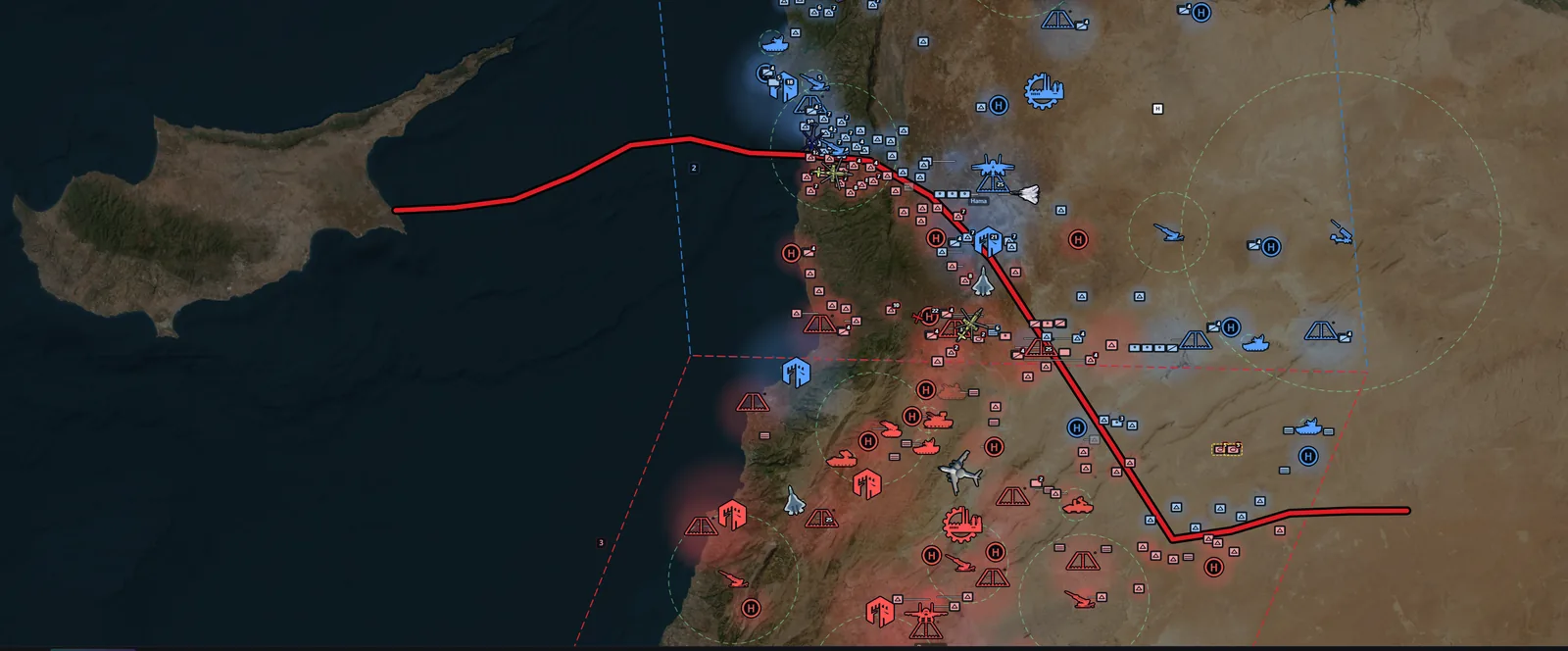
From the site map you can move your own vehicles and set commander orders: attack, defend, capture. Counter-battery fire is live. Details are in the documentation.
Our own systems
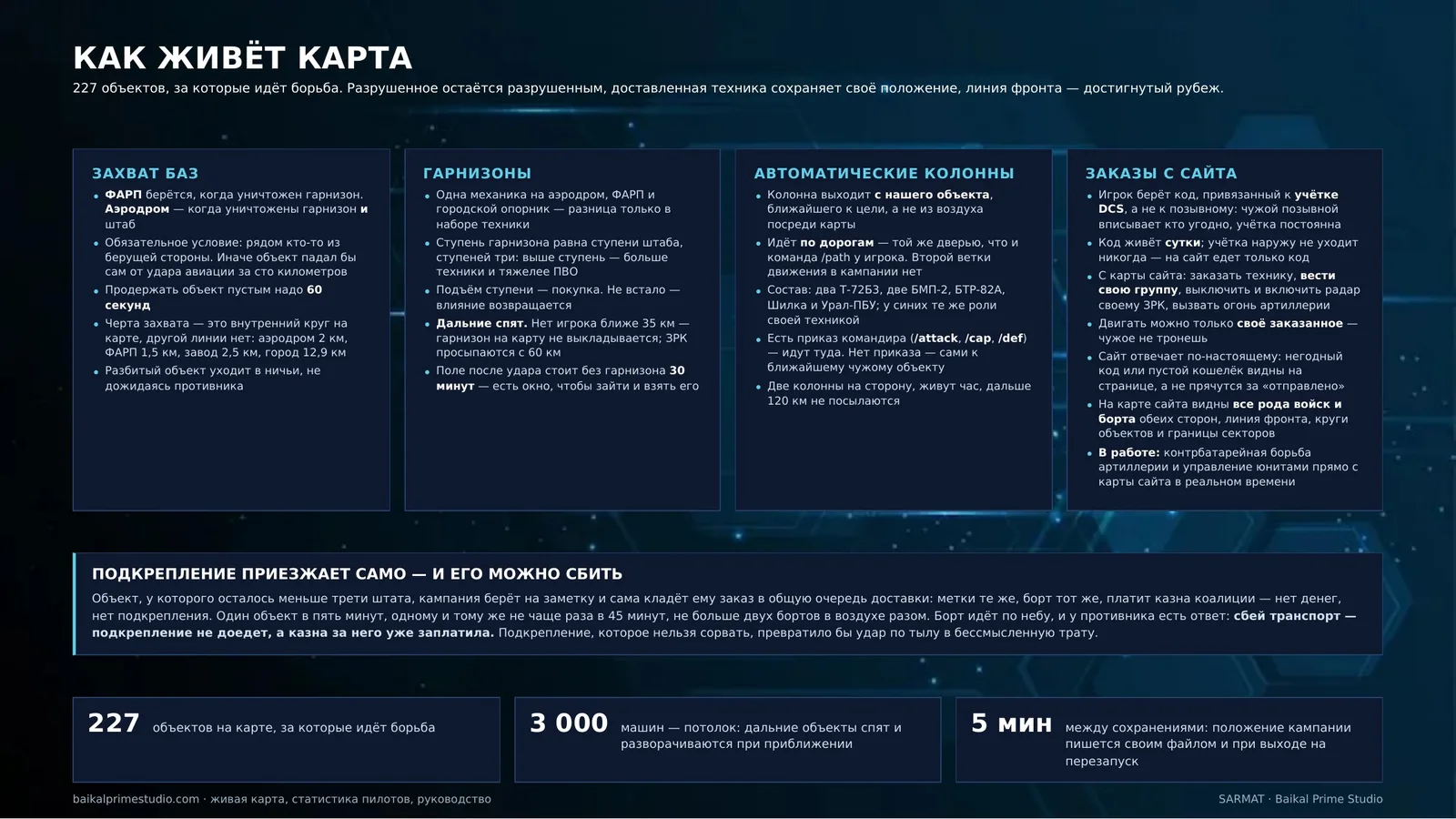
Everything listed here was written for this server. Each system is documented in the documentation; the full command list is in the basic part.
The campaign and the ground
- Capture and ownership — airfields, FARPs and strongholds change hands; the front line is derived from ownership.
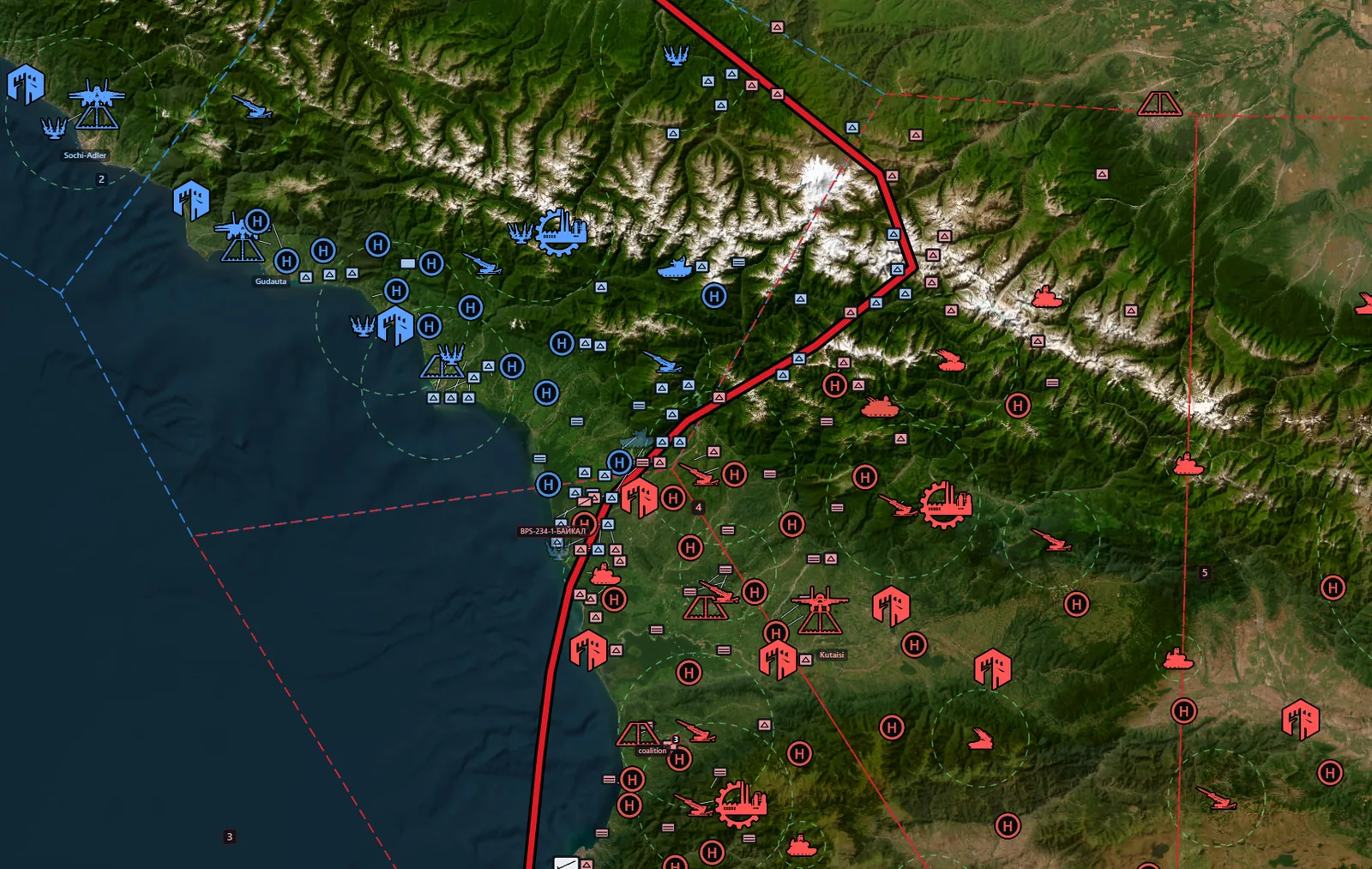
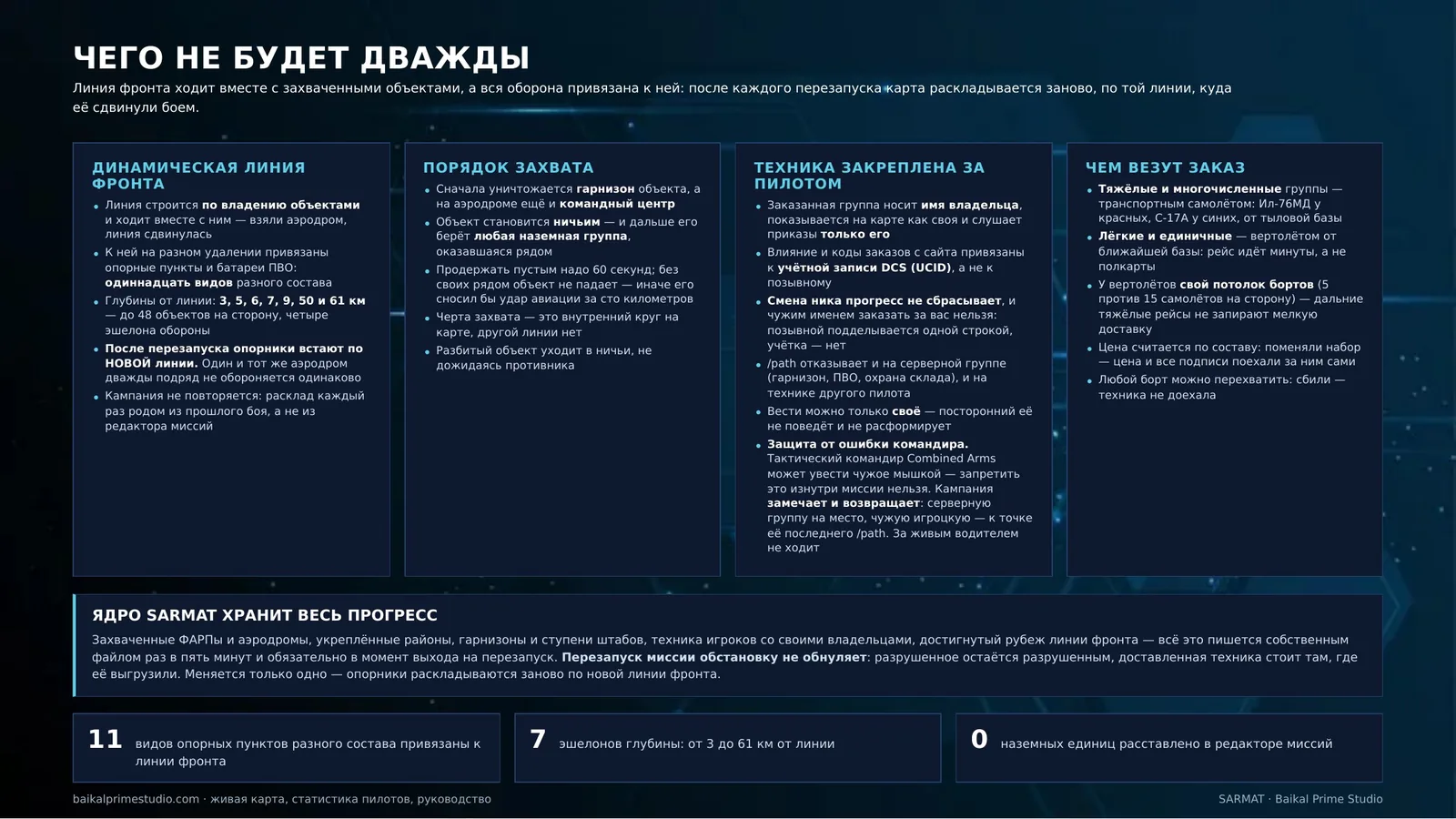
- A dynamic front line — the line is derived from who owns what, and it moves as ownership moves. Strongholds and SAM batteries are pinned to it at different depths: eleven kinds of different composition at 3, 5, 6, 7, 9, 50 and 61 km from the line, up to 48 objectives per side. Composition depends on distance from the front: up to 25 km — a truck, two SPGs, a Grad MLRS (M270 for blue) and three tanks (AA strongholds keep their single AA vehicle); 25–60 km — a truck, an SPG and two tanks; beyond 60 km — a truck and an SPG. When the front comes closer, a stronghold respawns at full strength. After a server restart the strongholds are laid out along the new line — wherever the fighting moved it — so the same map is never defended the same way twice and the campaign never repeats itself.
- A living front — every 45 minutes each side sends an offensive wave of 15 vehicles with artillery support, reinforcements head for attacked strongholds, supply convoys run from depots (kill a convoy and the stronghold gets no refill for 30 minutes). Strongholds post patrols, scouts move ahead of big columns, battered groups fall back to refit, short-range air defence roams. Columns are marked orange on F10 and on the website map. Server ground units open fire only when an enemy is within 3 km (air defence is not affected). Roughly every 2.5 hours comes a general offensive: 15-minute warning, artillery preparation and two waves, points near the target doubled for an hour, +150 for defenders who hold within 15 km. An enemy column within 5 km of a runway closes the airfield slots for 20 minutes: repel it for +150, or the airfield falls.
- How capture works — first the objective's garrison is destroyed, and on an airfield the command post as well; the objective goes neutral and is then taken by any ground group that happens to be nearby. With none of your own troops close by it does not fall — otherwise an airstrike a hundred kilometres away would take it.
- Sectors — the map is divided into four areas, and victory is counted by them.
- Headquarters and tiers — /hq builds or upgrades an HQ, /gar reinforces a garrison, /lvl raises a FARP tier, /repair rebuilds a destroyed SAM, depot or outpost.
- Coalition resources — the shared treasury: income from ownership and factories, spending on tiers and repairs.
- Influence — a pilot's personal points; /exchange turns them into coalition resources.
- Commander orders — /attack, /cap and /def send out ground columns; /clear cancels your side's orders.
Orders and logistics
- Ground and air orders — /order delivers a ground order to a mark, /strike calls air support, /cargo is the same catalogue by air, /action sets the drop point for an order made in the F10 menu.
- Your vehicles stay yours — an ordered group carries its owner's name, shows on the map as friendly and obeys its owner alone: nobody else can drive it or disband it. Influence and the codes used for orders from the site are tied to your DCS account (UCID), not to your callsign, so changing your nickname does not reset your progress and nobody can order in your name.
- What carries your order — heavy and numerous groups are delivered by transport aircraft (Il-76MD for red, C-17A for blue) from a rear base; light and single-vehicle orders by helicopter from the nearest one. Helicopters have their own airborne limit so that long heavy runs cannot block small deliveries.
- How many transports fly at once — each side may have up to 15 delivery aircraft airborne at the same time (no more than five of them helicopters), and forty transports across both sides. Hit the ceiling and the order waits in the queue instead of being refused, and no influence is charged twice.
- Engineer company — sabotage against an HQ — the order is placed with a mark on an enemy airfield (within 4 km of it). The engineers are flown in by a campaign transport: the moment it passes over the HQ, the HQ goes down. You do not have to fly the sortie yourself, and the transport is given an hour to get there. If the HQ falls to somebody else first, the order is cancelled and you are told so.
- Helicopter logistics — slung crates, forward bases built from three crates, vehicle delivery by crate.
- Troops — /troops load | unload | who carries infantry in an IFV; a separate air order drops troops in a ring.
- Movement by road — /path sends your vehicles to a mark by road only, using the road network rather than a straight line.
- Mistake-proofing for commanders — a Combined Arms tactical commander can drive somebody else's vehicles with the mouse, and a mission script cannot forbid it: DCS never tells the script that such an order was given. So the campaign notices and puts them back: a server group — a garrison, an air defence or a depot guard — returns to its place, another pilot's group to the point of its last /path. While a human is at the wheel the group is left alone: driving your own vehicles by hand is allowed.
- You cannot command what is not yours — /path refuses both on server groups (garrisons, air defences, depot guards) and on another pilot's vehicles: you may only move your own.
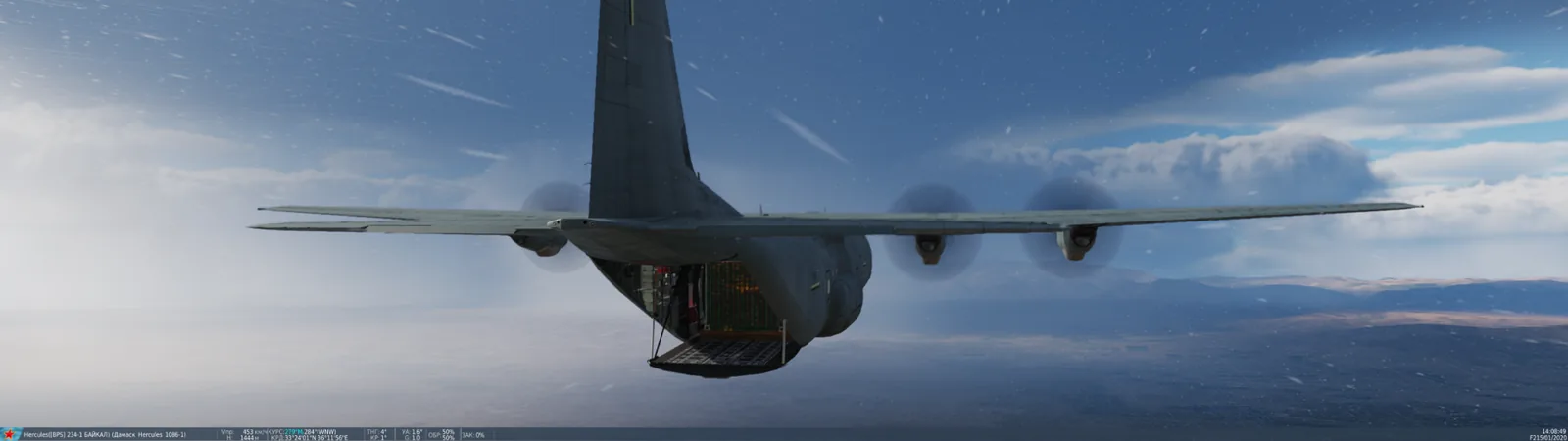
- Air delivery — the campaign's own transport flights, plus player-flown C-130 delivery.
Support, recon and strikes
- JTAC and recon — /jtac and /recon launch drones: laser designation, target reports and smoke on target.
- AWACS and tanker — /awacs and /tanker come with a real enroute task: Link-16 broadcasts and the hose comes out.
- Artillery on a map mark — /arty for howitzers, /mlrs for rocket artillery; up to two batteries within 30 km, and they displace after firing.
- SEAD — /sead sends a flight after the nearest enemy radar.
- Radar network and air picture — /ewr shows what your radars see; EWR and datalink actually work.
- Deception — /fake and /decoy plant a false contact on the enemy map.
- AI air activity — CAP, CAS, SEAD, recon and the bomber raid — under the same rules players play by.
- The bomber raid — a campaign event — every ninety minutes each side launches three bombers: Su-24M for red, B-1B for blue. They fly at 25,000 ft, do not manoeuvre, and come with a pair of escorts — Su-33 for red, F-15C for blue. The target is an enemy airfield near the front line, but never closer than 30 km behind it: if the raid gets through, everything inside that field's inner ring is destroyed. The enemy is warned in advance, and the raid can be broken up.
- Ordering a bomber pair on a mark — two heavy bombers to your mark: Tu-22M3 for red, B-1B for blue, with a bomb load. Once they arrive the campaign works the zone around the mark: it takes out the ring of the enemy objective the mark falls inside, or the nearest one within 30 km. No enemy objective nearby means no strike, and you are told that straight away rather than after the sortie. The enemy is warned 15, 10 and 5 minutes out.
- Air defence batteries at full strength — every battery on the map now fields its whole crew: search radar, illuminating radar, command post, launchers and support vehicles. That means a battery cannot be neutralised with a single missile at a launcher — and that killing one outright takes longer: the Hawk has a separate CW acquisition radar, the S-300 its own generators, and without them the crew goes blind.
The pilot
- Lives and the take-off delay — /lives shows how many sorties you have left and how long to wait before take-off.
- CSAR — a downed pilot can be flown out by helicopter, and it pays.
- Ranks, medals and bounties — /standing shows where you stand; a kill streak raises the price on your head.
- Contracts — ten kinds of personal tasks paid in influence.
- Server chat commands — .help, .credits, .kd, .resourses and .time work in plain chat, without any menu.
The world and watching it
- Splash damage and heavier blasts — our own module instead of a third-party mod: the campaign tracks unguided ordnance — rockets and bombs — and adds a blast at the point of impact. Guided weapons are left alone: the engine already models them properly.
- Rockets made to count. A salvo of unguided rockets barely scratches vehicles in DCS. The added blast gives a rocket 10 kg TNT equivalent and a bomb 45 kg, scaled by warhead mass but never more than threefold: a heavy bomb hits harder than a light one without turning nuclear.
- It only goes off where there is something to hit — the extra blast happens only if a ground vehicle stands within 45 metres. A blast in an empty field is not drawn: it changes nothing and costs the engine.
- And it costs the server nothing. Off-the-shelf mods track EVERY munition on its own timer: one helicopter salvo means hundreds of scheduler wake-ups a second, and that is exactly what used to bring the server down. We run one shared tick for all ordnance, sixty at most at a time, and the impact point is extrapolated along the velocity vector — otherwise the blast would happen where the round was, not where it landed. That works out 75 times cheaper for the same result.
- Weather — no-fly conditions really do close sorties, by cloud base, wind and visibility.
- Bombers drop a salvo, not a single bomb. Both the campaign event and the paid Tu-22M3 / B-1B order now release 8 bombs in a single pass on the target. Exactly one pass: without that limit the AI would keep circling back while it had anything left, turning the salvo into “the whole load, eight at a time”. The destruction of the target's inner circle is still counted by the campaign rather than by AI hits.
- Radio. Every campaign AI sits on the common SRS 251 channel, so the flights you call appear on the same net as your own. Each side keeps its own exceptions: AWACS on 125 for red and 252 for blue; tanker 126 / 253; delivery flights 124 / 305. They are kept apart on purpose: AWACS calls are constant, and on the common channel they would drown out flight chatter.
- Fog of war. An enemy objective — strongpoint, SAM battery, depot, factory — appears on the map only once somebody on your coalition has seen it: from the air at 25 km, from the ground at 6 km. Once seen it is remembered until the end of the match, and a server restart does not wipe that memory. Only live players count as eyes: AI, AWACS and delivery flights do not, or the map would open itself. A hit from far away does not reveal anything — artillery fires at what someone else scouted.
- What the fog does not hide — airfields and FARPs (the engine shows them anyway), the front line and sectors, neutral objectives, and forward bases: those follow a stricter rule of their own — only their own side ever sees them.
- The event feed on the site map. Above the order and the commander-order panels you now get the six most recent events of the campaign instead of help text — the same feed as on the Situation page, just short.
- Watchtower — warns you who has come within ten kilometres of your airfield.
- Campaign standing — /win shows how the campaign stands, sector by sector; /sector and /grid handle map layout.
- Ordering from the map on the site — you can order vehicles and move them without opening DCS, even from a phone: the code is tied to your account and you may only move what you ordered. The same map shows every branch of service and every aircraft on both sides.
- A site with a live map — the live map, the situation page, pilot statistics, the aircraft reference and the delivery table.
Reinforcements come on their own
- A bled-out objective repairs itself. Every 5 minutes the campaign walks the airfields, FARPs and strongpoints and finds the emptiest one: under a third of its garrison left, with at least four vehicles on establishment. A transport flies a column to it.
- The coalition treasury pays. No money, no reinforcement: a side with an empty treasury does not heal itself. That is deliberate — otherwise striking the rear would mean nothing.
- The transport can be shot down, and that is precisely why it flies instead of vehicles simply appearing: the enemy gets a say. Shoot it down and the reinforcement never arrives, while the money goes back to the treasury in full.
- What arrives joins the garrison — up to establishment, never above it. No objective is resupplied more often than once every 45 minutes, and no more than two such flights are airborne at a time.
- While you stand on an objective it does not recover at all — neither the slow clock nor the transport. One of your vehicles inside the capture ring is enough, and the lock holds until you drive off.
The full write-up is in the documentation: Automatic reinforcement for bled-out objectives.
The air picture
- F10 → air report — a target table: bearing, range, altitude, speed and aspect. A "hot" aspect means the target is closing on you, "cold" means it is going away. It is switched on and off per side.
- It reaches 250 km, but inside that circle it shows only what your own network sees. There are always six rows, the nearest ones; if there are more targets, "...and N more" follows — six rows does not mean six enemies.
- Friendlies come in a separate list, within 40 km: so you can tell who is in the fight with you from who needs shooting down.
The radar network
- The picture comes from a network of early-warning radars. They stand on the map — you can order one and put it where you need to see.
- A radar knocked out is a hole in the picture, and the hole shows up in the report: the side goes blind along a whole axis rather than losing one vehicle.
- That makes an enemy radar the most profitable thing to suppress. A radar is both goods and target: people order them and people hunt them.
- Air-defence strongpoints are eyes too — the ones with a real tracking radar. A gun without a radar gives no picture, and the campaign does not pretend otherwise.
The full write-up is in the documentation: The air report and the radar network.